Formats
The prompt pack
The prompt pack turns a template into a job for your coding agent. Paste one prompt, answer a few questions, and the agent builds the site in your stack (Next.js and Tailwind, Astro or plain HTML), then checks every page against reference screenshots.
Get your prompt#
Paste your licence key
Open Get my prompt and paste the licence key from your Lemon Squeezy order email (or My Orders).
Add a line about your company
Optional. One or two lines: what it does and who it is for. You can also tell the agent later.
Copy the prompt
You get one card per template you own.
Paste it into your agent
In an empty project folder. It asks a few questions, builds the shared components, then your pages, and checks them against the reference screenshots.
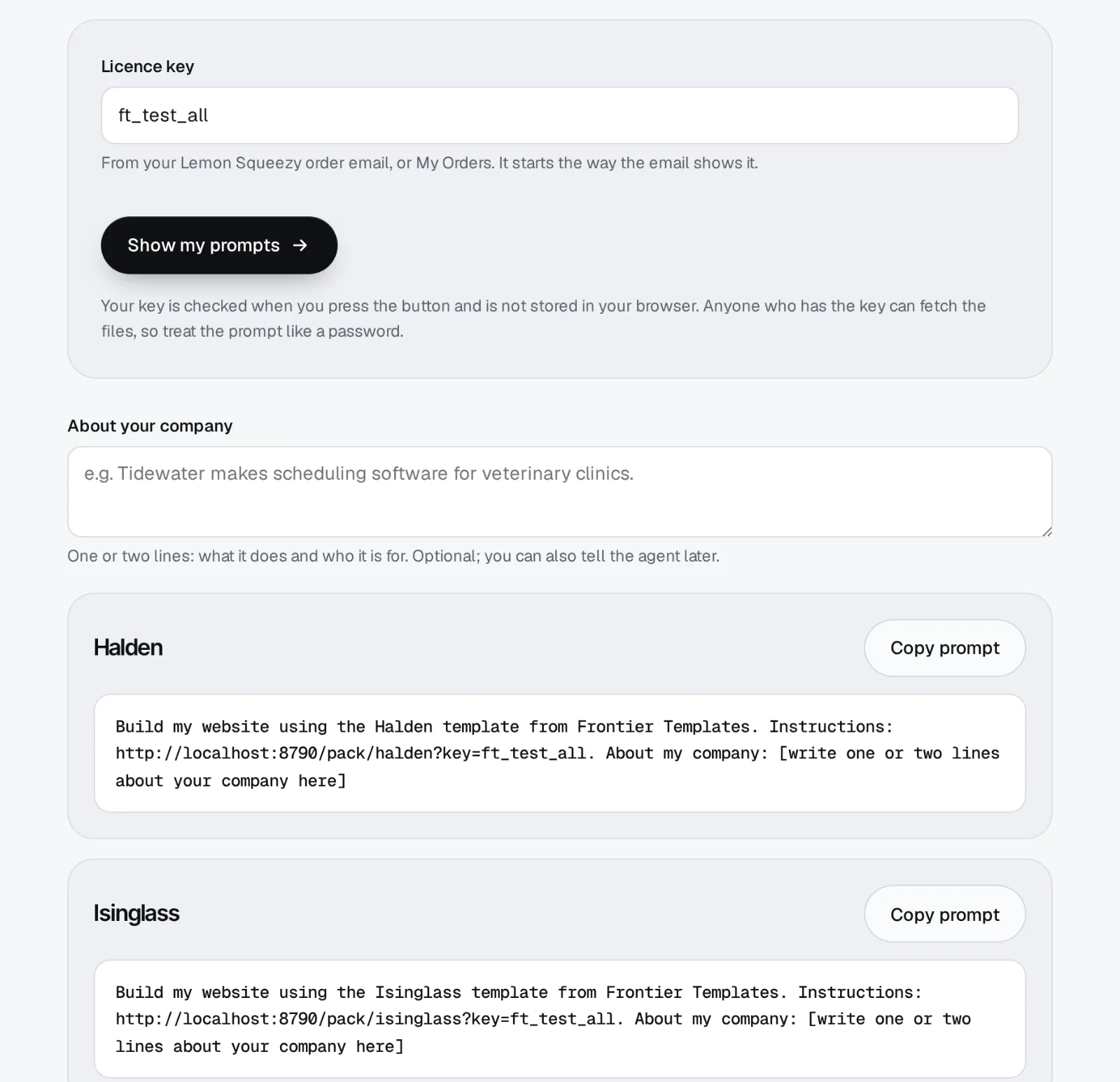
The prompt is one short message:
Build my website using the Meetly template from Frontier. Instructions: https://frontiertemplates.com/pack/meetly?key=YOUR-KEY. About my company: Tidewater makes scheduling software for vet clinics.Where it works#
| Agent | How |
|---|---|
| Claude Code | Paste it in an empty project folder. |
| Cursor | Agent mode, with a terminal and web fetch allowed. |
| Codex | The CLI or the IDE agent, with network access on. |
| Chat apps | Not supported: the agent has to run commands and write files. |
What the agent does#
- Build my website using the Meetly template from Frontier. Instructions: https://frontiertemplates.com/pack/meetly?key=…
- Fetch AGENTS.md, then mirror the pack with tools/fetch-pack.mjs
- A few questions: company, what it does, audience, tone, pages, stack, host.
- Scaffold site/ (Next.js + Tailwind)
- Build the design system and the shared header and footer
- Build home, pricing, about, contact
- Compare each page with reference/<page>-1440|810|390.webp, fix differences
- Done. Deploy steps for your host are in deploy.md
The phases come from the pack's own RUN.md; your agent's messages will be worded its own way. A first build of three pages takes about 20 to 40 minutes.
Inside the pack#
Meetly · Prompt pack
Skip the questions#
Put a brand.json in the pack folder (copy brand.example.json) or the copy.json from a Fast launch, and the agent starts building straight away:
{
  "company": "Tidewater",
  "whatItDoes": "Scheduling software for vet clinics.",
  "audience": "Practice managers and receptionists",
  "tone": { "words": ["plain-spoken", "warm"] },
  "pages": ["home", "pricing", "about", "contact"],
  "stack": "nextjs-tailwind",
  "host": "vercel"
}
No agent?#
Download the prompt pack folder from your order instead, open it in your agent later, and type Build my site from this template.
Still stuck?Write to us with your order number. We reply within one working day.
Contact support