Sections / Gems / Inputs and forms
Tuning Dial
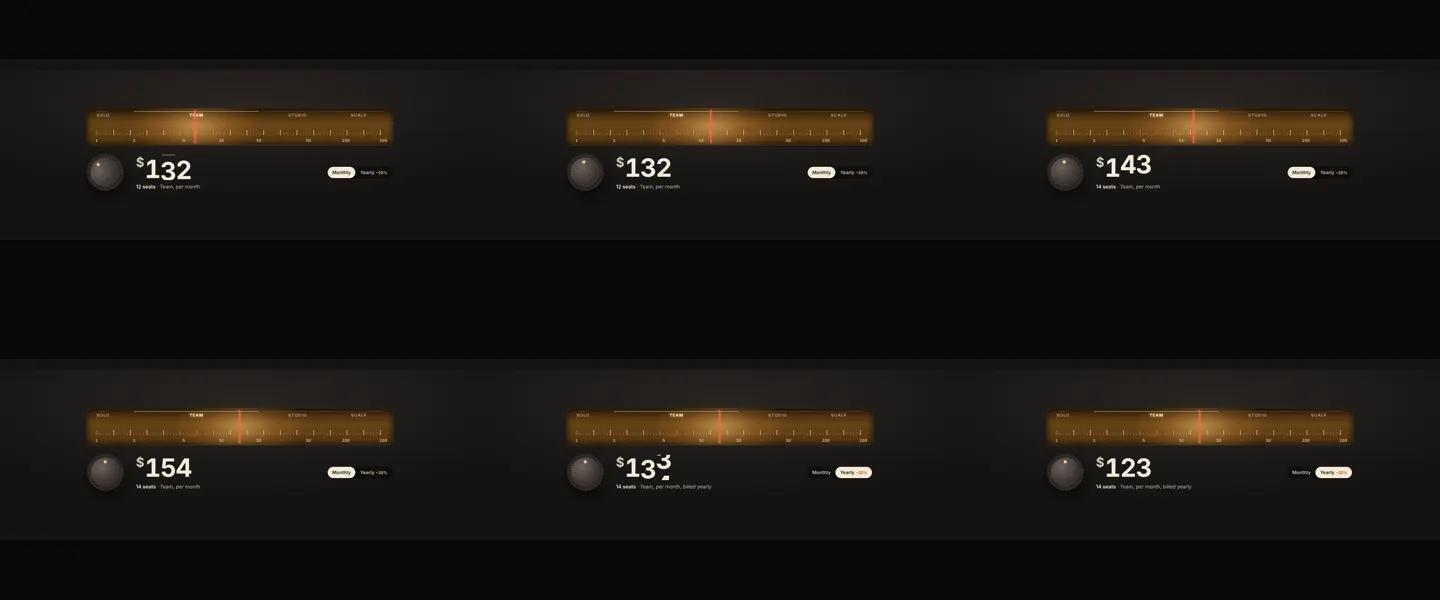
A pricing picker built like an old radio. Seats are tuned on a backlit amber dial whose stations are your plans: the needle swings to the value with a little give, the glass glows behind it, the plan it lands in lights up and the price rolls over like an odometer. Turn the knob, drag along the dial, click a station or use the arrow keys, and flip monthly and yearly on the switch. A real range input underneath.
- Kind
- Inputs and forms
- Interaction
- knob and needle · odometer price · plans as stations · monthly or yearly · keyboard · range input
- Dependencies
- None
- Licence
- Licensed with Full Access, for the sites you build; do not resell the gem itself
Formats
- Webflow (native)
- Figma (layers)
- Framer component
- HTML
- Prompts for Claude Code, Cursor, Lovable, v0, Bolt
Copy to Webflow pastes a native section with the gem in an Embed inside it. Copy to Figma pastes a frame of its best moment, text and controls as layers. Copy to Framer pastes a component with its options as controls. HTML is one self-contained snippet. Each prompt (Claude Code, Cursor, Lovable, v0, Bolt) carries the exact files, so your agent installs this gem, not a lookalike. With the MCP server, ask your agent for get_section("tuning-dial").
Behaviour and accessibility
- The needle sweeps in and the price rolls up the first time it is seen.
- The dial is a real range input, labelled, with the seats, plan and price as its value text; the arrow keys go seat by seat, Page Up and Down by ten; the billing switch is a pair of pressed buttons; the new price is announced politely.
- Drag along the dial (mouse, pen or touch) or turn the knob; tap a station to jump to it.
- Nothing moves once the needle settles; everything stops off screen or in a background tab.
- With prefers-reduced-motion: the needle and price change at once.
Wire it to your model
Give it your plans as `tiers` (name, last seat count, price per seat) and read the choice from `onChange({ seats, tier, price, yearly })`, for example to fill a checkout link.
Options
| Option | Type | Default | What |
|---|---|---|---|
tiers | TuningTier[] | 4 built in | The plans, smallest first. The last one's upTo is the top of the dial. |
seats | number | 12 | Seats it starts on. |
yearlyDiscount | number | 0.2 | Yearly billing discount, 0 to 1. |
yearly | boolean | false | Start on yearly billing. |
currency | string | "$" | Currency sign before the price. |
onChange | (state: { seats: number | Called when the seats, plan or billing change. |

 Free