Sections / Gems / 3D and WebGL data pieces
Plotter
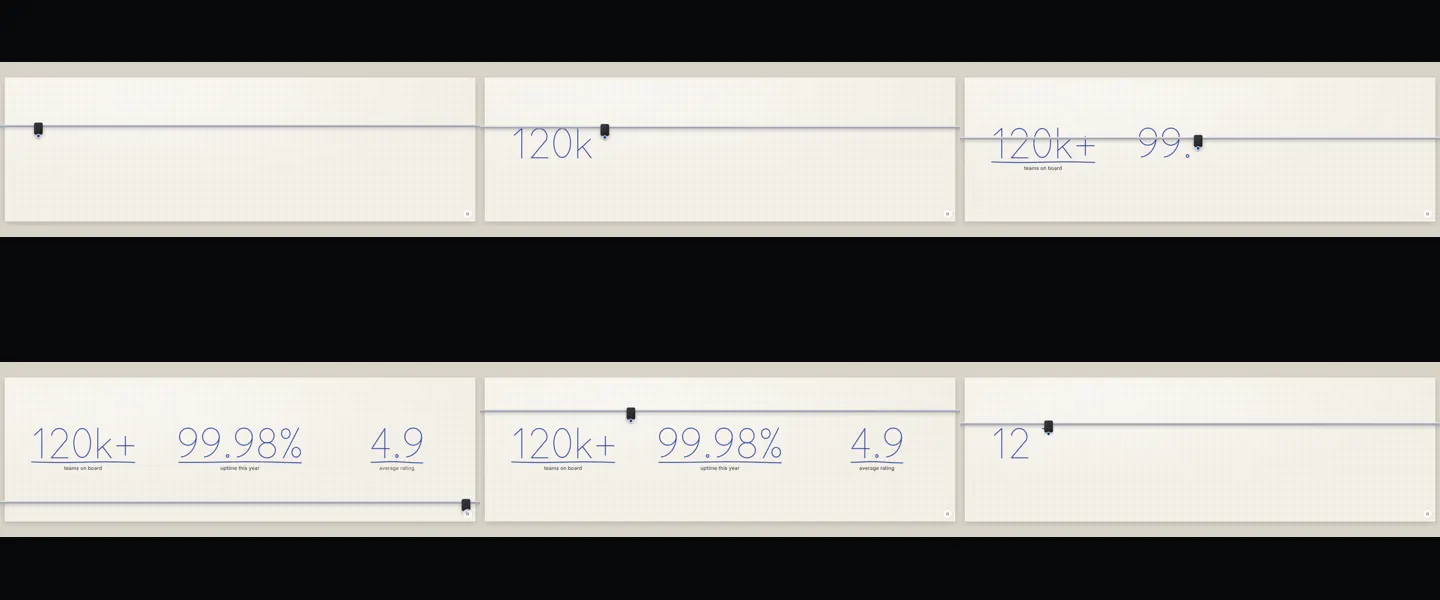
Your key figures, drawn live by a pen plotter. A rail sweeps up and down the sheet, the carriage runs along it and the pen drops to draw each figure in single strokes, underlines it and lifts; the label appears once its figure is down. After a while the sheet feeds out and it plots them again. Between runs the carriage follows the pointer, and a click feeds a fresh sheet. The figures are real text underneath.
- Kind
- 3D and WebGL data pieces
- Interaction
- autoplay · drawn figures · pointer follow · click to replot · pause button · canvas
- Dependencies
- None
- Licence
- Licensed with Full Access, for the sites you build; do not resell the gem itself
Formats
- Webflow (native)
- Figma (layers)
- Framer component
- HTML
- Prompts for Claude Code, Cursor, Lovable, v0, Bolt
Copy to Webflow pastes a native section with the gem in an Embed inside it. Copy to Figma pastes a frame of its best moment, text and controls as layers. Copy to Framer pastes a component with its options as controls. HTML is one self-contained snippet. Each prompt (Claude Code, Cursor, Lovable, v0, Bolt) carries the exact files, so your agent installs this gem, not a lookalike. With the MCP server, ask your agent for get_section("plotter").
Behaviour and accessibility
- The plotter starts drawing the first time the band is seen, figure by figure, and feeds a fresh sheet every few seconds after it finishes.
- The figures and labels are real text (the figures visually hidden, read in place of the ink), so screen readers and search read them; the ink, rail and carriage are decoration.
- Between runs the carriage follows the pointer with its pen up; a click on the sheet feeds a fresh one. On touch screens a tap does the same.
- The pause button stops it after the sheet it is drawing; everything stops off screen or in a background tab.
- With prefers-reduced-motion: the figures are drawn at once, the carriage stays parked and nothing replots.
Options
| Option | Type | Default | What |
|---|---|---|---|
stats | PlotterStat[] | 3 built in | The figures, left to right (top to bottom on a phone). Three read best. |
ink | string | "#1f3a9e" | Ink colour. |
paper | string | "#f3efe6" | Paper colour. |
speed | number | 1500 | Pen speed while drawing, in px per second at desktop size. |
hold | number | 7000 | How long a finished sheet stays before the next one feeds in, in ms; 0 draws it once. |
controls | boolean | true | Show the pause button. |

 Free