Sections / Gems / Cursor and pointer effects
Pegboard
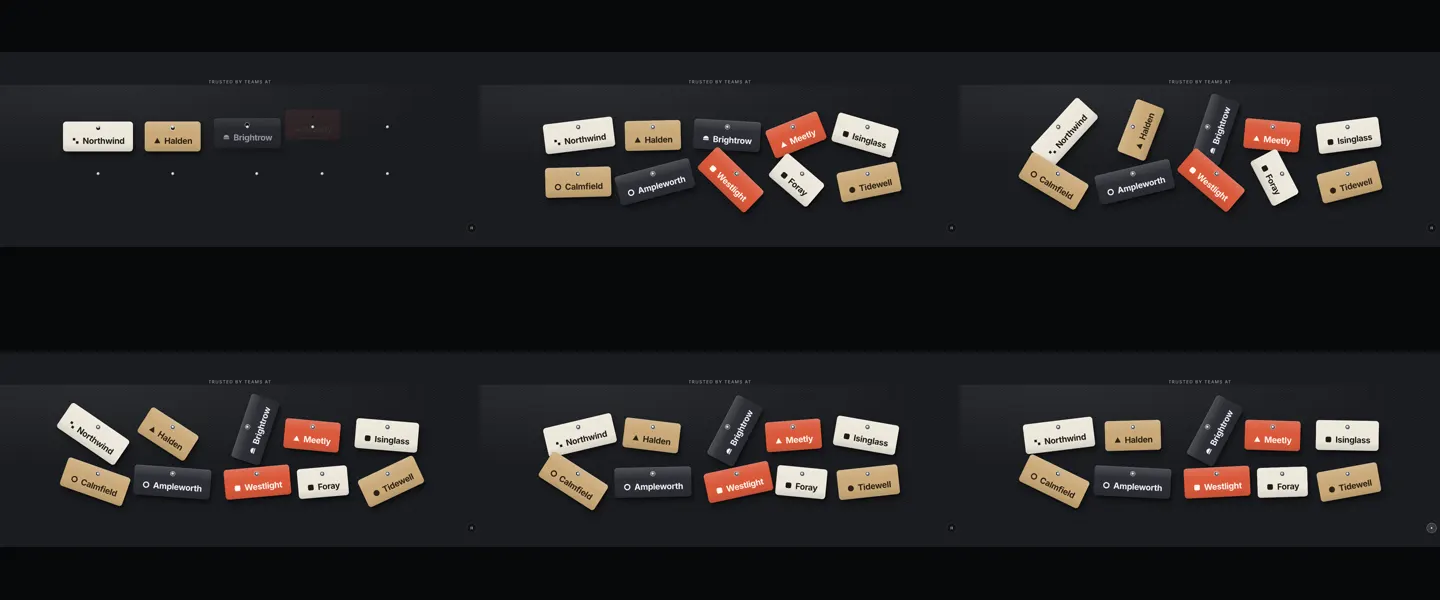
A logo wall hung on a pegboard. Each name or logo is a tag on its own peg: brush past and the tags swing, knock into their neighbours and settle, and every few seconds a breeze runs along the rows. The tags are hung one by one the first time the wall is seen. Real pendulum physics in a few lines of script; the names are a real list.
- Kind
- Cursor and pointer effects
- Interaction
- pointer brush · swing and knock · breeze · hang on view · pause button · logos
- Dependencies
- None
- Licence
- Licensed with Full Access, for the sites you build; do not resell the gem itself
Formats
- Webflow (native)
- Figma (layers)
- Framer component
- HTML
- Prompts for Claude Code, Cursor, Lovable, v0, Bolt
Copy to Webflow pastes a native section with the gem in an Embed inside it. Copy to Figma pastes a frame of its best moment, text and controls as layers. Copy to Framer pastes a component with its options as controls. HTML is one self-contained snippet. Each prompt (Claude Code, Cursor, Lovable, v0, Bolt) carries the exact files, so your agent installs this gem, not a lookalike. With the MCP server, ask your agent for get_section("pegboard").
Behaviour and accessibility
- The tags are hung one by one the first time the wall is seen; brush across them with the pointer and they swing and knock into each other.
- The names are a real list (links when you give them one), so screen readers and search read them; the board, pegs and shadows are decoration.
- A tap on a tag flicks it on touch screens; the breeze needs no pointer.
- The breeze runs while the wall is on screen and the pause button stops it; everything stops off screen or in a background tab, and a tag at rest carries no transform.
- With prefers-reduced-motion: the tags hang still, with no entrance, breeze or swing.
- Anything you put inside the element (a caption) sits above the tags.
Options
| Option | Type | Default | What |
|---|---|---|---|
items | PegboardItem[] | 10 built in | The names or logos, in order, left to right and row by row. |
palette | string[] | 4 built in | Tag colours, used in turn. |
inks | string[] | 4 built in | Label colours, one per tag colour. |
board | string | "#1b1c20" | The board's colour. |
size | number | 30 | Wordmark height on a wide screen, in px; tags scale down on narrow ones. |
gustEvery | number | 6500 | Time between breezes, in ms; 0 turns the breeze off. |
swing | number | 1 | How hard the pointer swings a tag it brushes: 1 is a light touch, 2 a shove. |
controls | boolean | true | Show the pause button. |
label | string | "Teams that use it" | Accessible name of the list. |
seed | number | 4 | Seed for the wordmarks' marks, the first swings and the breeze. |

 Free