Sections / Gems / Scroll and type effects
Letterpress
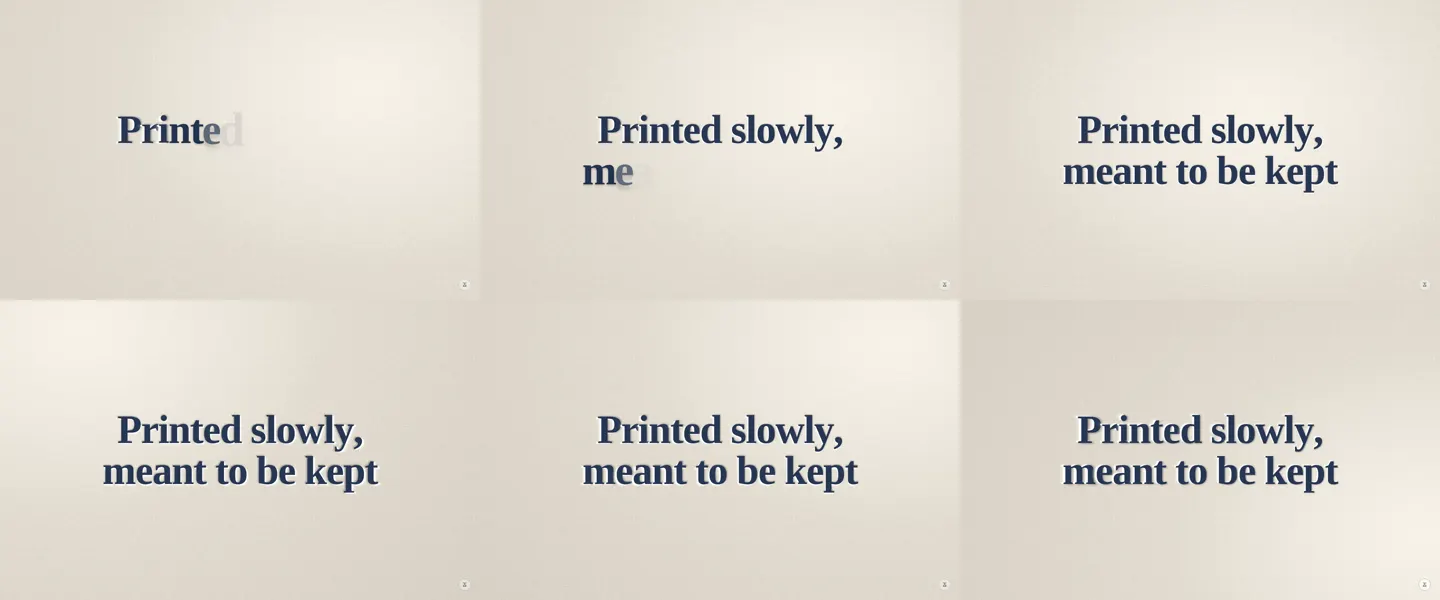
A headline pressed into paper. The first time it comes into view the plate comes down letter by letter: each one sinks into the sheet with a little overshoot, the ink takes and the paper round it bruises. A raking lamp lights the impressions from wherever the pointer is, or drifts across the sheet on its own, so every letter catches the light from its own angle. Click the paper to press again from that spot. Real text, no images, no canvas.
- Kind
- Scroll and type effects
- Interaction
- press on view · raking light · pointer lamp · click to re-press · real text · paper grain
- Dependencies
- None
- Licence
- Licensed with Full Access, for the sites you build; do not resell the gem itself
Formats
- Webflow (native)
- Figma (layers)
- Framer component
- HTML
- Prompts for Claude Code, Cursor, Lovable, v0, Bolt
Copy to Webflow pastes a native section with the gem in an Embed inside it. Copy to Figma pastes a frame of its best moment, text and controls as layers. Copy to Framer pastes a component with its options as controls. HTML is one self-contained snippet. Each prompt (Claude Code, Cursor, Lovable, v0, Bolt) carries the exact files, so your agent installs this gem, not a lookalike. With the MCP server, ask your agent for get_section("letterpress").
Behaviour and accessibility
- The headline is a real heading element (level 2 by default), selectable and read as one line of text; the lamp and the paper grain are decorative and hidden.
- The press runs once, the first time the headline is seen; clicking the paper or the labelled press button presses it again in a wave from that point.
- The lamp follows a mouse or pen and drifts slowly on its own otherwise; it stops off screen and in a background tab. Settled letters carry no transforms.
- With prefers-reduced-motion: the headline is already pressed, the lamp sits still at the top left (a pointer still moves it), and there is no re-press or press button.
- Use the paper colour or 'none' as the ink for a blind impression; anything you put inside the element sits under the headline.
Options
| Option | Type | Default | What |
|---|---|---|---|
text | string | "Printed slowly,\nmeant to be kept" | The headline. A line break in the text starts a new line. |
level | number | 2 | Heading level for the headline element (1 to 6). |
paper | string | "#efe9de" | The sheet's colour. |
ink | string | "#22324f" | The ink. Use the paper colour (or 'none') for a blind, uninked impression. |
font | string | "ui-serif, \"Iowan Old Style\", \"Palatino Linotype\", Palatino, Georgia, \"Times New Roman\", serif" | Font stack for the headline. |
weight | number | 700 | Font weight of the headline. |
depth | number | 3 | How deep the impression reads, in px of lip at full rake. |
stagger | number | 45 | Milliseconds between one letter's press and the next. |
pointer | boolean | true | The lamp follows the pointer (mouse and pen); otherwise, and while nobody points, it drifts across the sheet. |
controls | boolean | true | Show the press-again button (hidden with reduced motion). |
seed | number | 11 | Seed for the paper grain. |
onPressed | () => void | Called each time a press finishes. |

 Free