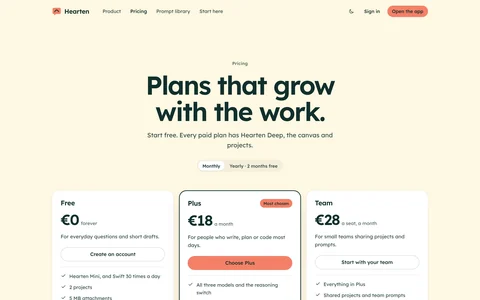
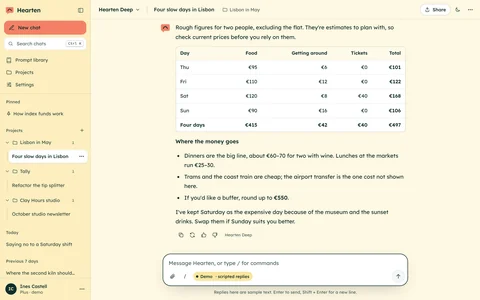
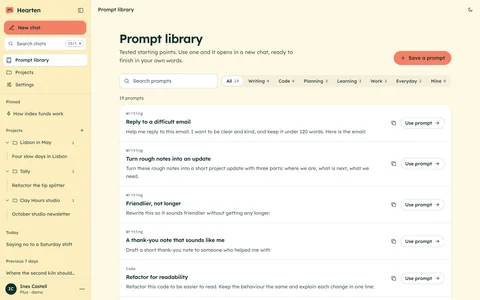
Hearten is the front end of an AI assistant, built to be used rather than looked at. The chat streams replies, stops, regenerates with a version pager, lets you edit a sent message, and takes files by picker, paste or drag and drop. When a reply carries a document or a code file it opens in a canvas beside the chat with Preview and Code tabs, v1 and v2, copy and download, on a split you can resize. The sidebar groups history by Pinned, Projects, Today, Previous 7 days and Older, with search, pin, inline rename, move and delete with Undo.
All of them. One purchase includes every format of the template, and you pick the one you want to download, now or any time later. Each format is a full build of the same design: a remix link for Framer, a clone link for Webflow, source files for Astro, an Elementor website kit for WordPress, plain HTML, or a prompt pack to rebuild it with an AI coding tool. Everything covers every template.
Can I use Hearten for a client?
Yes. A single template's personal licence covers one end product, which can be a client's site. Everything covers unlimited end products.
What is the website builder?
Open Hearten in the Studio app and answer a few questions about your business in the chat, with the site open next to it. We adapt it for you: words, photos, pages and tone. Then you edit anything by chat and export it or publish a preview link. The AI uses credits; your sign-up credits cover adapting your first site.
Do I get updates?
Yes, for life. Fixes and new pages are free and arrive in the same download link.
What happens to the copy I tried?
If you continue to checkout, it travels with your order so your download can start from it. We do not keep what you type in the preview.
Replies are scripted sample responses, and the interface says so plainly: a Demo pill on the composer and a first-run note. Connecting a real model means replacing one adapter function in assets/js/adapter.js, documented on the start-here page with a working streaming example for your own server endpoint. Around the app are a prompt library that opens prompts in a new chat, projects with instructions and files, settings with JSON export and clear history, a read-only shared chat, sign in, and a landing page whose hero is the live app itself, plus pricing.
The design is warm paper and slate ink rather than another grey chat clone: Sanzo Wada combination 166 (Grenadine Pink, Naples Yellow, Deep Slate Green), set in Lexend with Source Code Pro for code, in light and dark. There is no stock photography to replace: the product is the picture. Every sample conversation, model, project and prompt lives in one editable data file.