# Try it with your brand
> Type your company name and one line about what it does. The live demo rewrites its own text for you: the logo, headline, intro, buttons, menu and features. Try it right here.
Live demo: https://frontiertemplates.com/templates/halden
This is the same live demo and the same preview service as the [Halden template page](https://frontiertemplates.com/templates/halden#try). Only text changes: the layout, images and code are the template's own.
## What changes
| Part of the page | What you get | Limit |
| --- | --- | --- |
| Brand | Your company name in the logo, header, footer and menu | 40 characters |
| Headline | A hero headline written for what you do | 80 characters |
| Intro | One or two sentences under the headline | 220 characters |
| Buttons | The two hero buttons | 24 characters each |
| Menu | Five menu labels | 16 characters each |
| Features | The first three feature titles | 40 characters each |
Templates mark these places with `data-slot` attributes (`brand`, `hero-title`, `hero-lead`, `cta-primary`, `cta-secondary`, `nav-1` to `nav-5`, `feature-1` to `feature-3`). The same names are in the files you download, so the copy you tried can travel with your order.
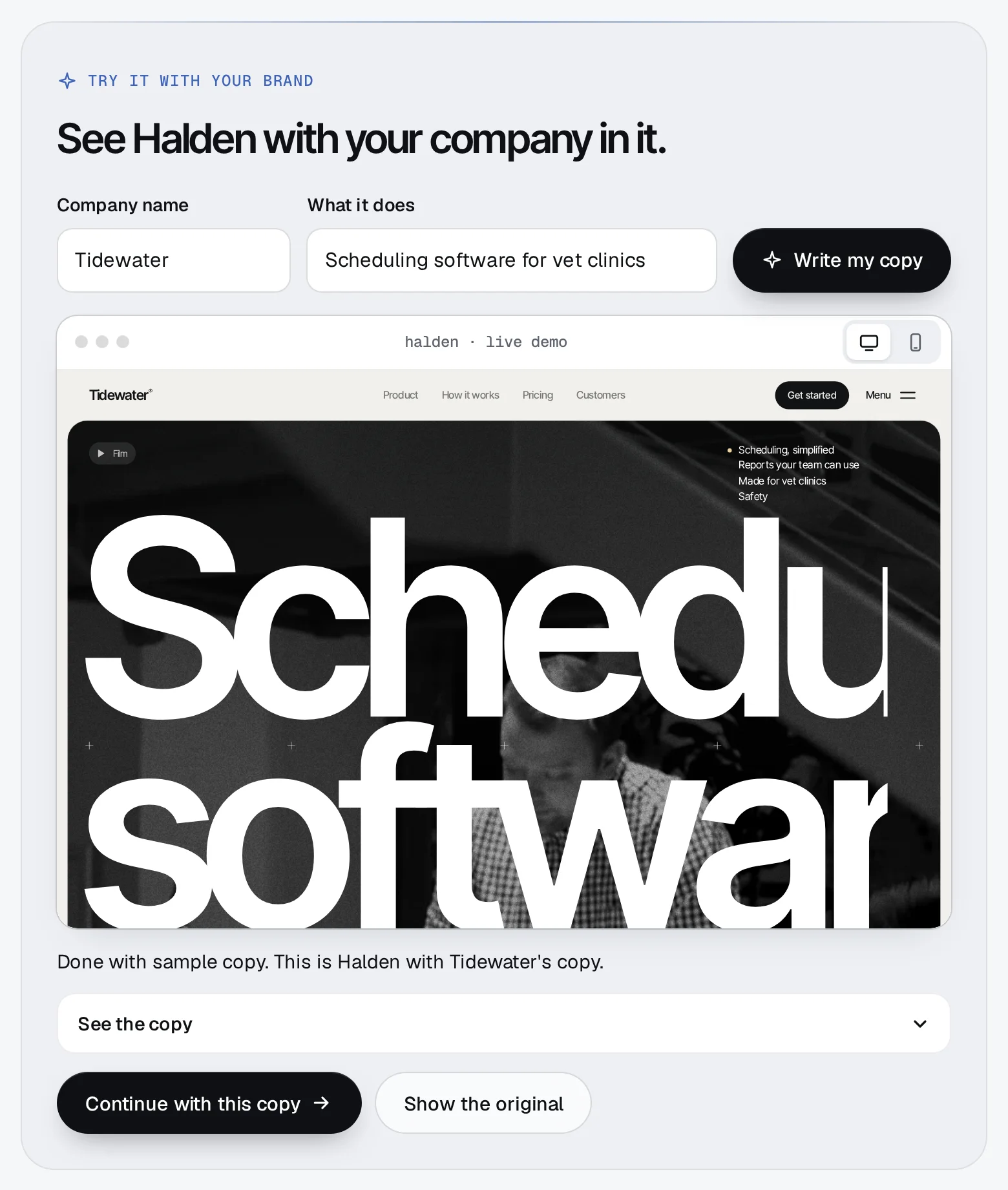
## How it works
1. **You type two things** Your company name (up to 40 characters) and what it does (8 to 200 characters). Links, email addresses and instructions to the model are refused.
2. **Claude writes the copy** The store sends both to Claude Haiku with a fixed shape for the answer: a brand, a headline, an intro, two buttons, five menu labels and three features. If the writer is busy or offline you get sample copy instead, and the page says so.
3. **The demo rewrites itself** The copy is posted into the demo frame, where a small script swaps the text in each slot. **Show the original** puts it back.
4. **Keep it, or don't** **Continue with this copy** takes it to checkout with your order, so your download can start from it.
## Limits and privacy
- Five previews per ten minutes and twenty a day for each visitor.
- We don't log or keep what you type. The only things kept are counters (numbers, no text) that enforce the limits, for at most two days.
- The copy you tried is also kept in your own browser, so it is still there when you come back.
- Framer-only templates (like [Corbel](https://frontiertemplates.com/templates/corbel)) can't be previewed this way yet: the preview runs on a template's HTML edition.
## Add the receiver to your own pages
The script that applies the copy is public and tiny. If you build your own pages on a template and want them to work with the preview, include it once and tag your text:
```html
Halden
An AI lab for work that has to be right.
```
It does nothing unless the page sits in a frame, and it only ever changes text.
---
Source: https://frontiertemplates.com/docs/try-with-your-brand · All guides: https://frontiertemplates.com/docs